Keep every conversation within reach. Read chat from your connected sites in one view. Welcome new viewers, catch requests and reply to one room or all of them while you keep the show moving.
Built for independent cam performers
Your show. Every room.
One redroom.
Stream simultaneously to sites like Chaturbate, Stripchat, Live Jasmine, and more with redroom’s built-in video engine. Bring chats, shared goals, games, tip menus, Lovense and your video studio into one workstation. Reach more viewers and create more opportunities to earn.
Mission Controlredroom
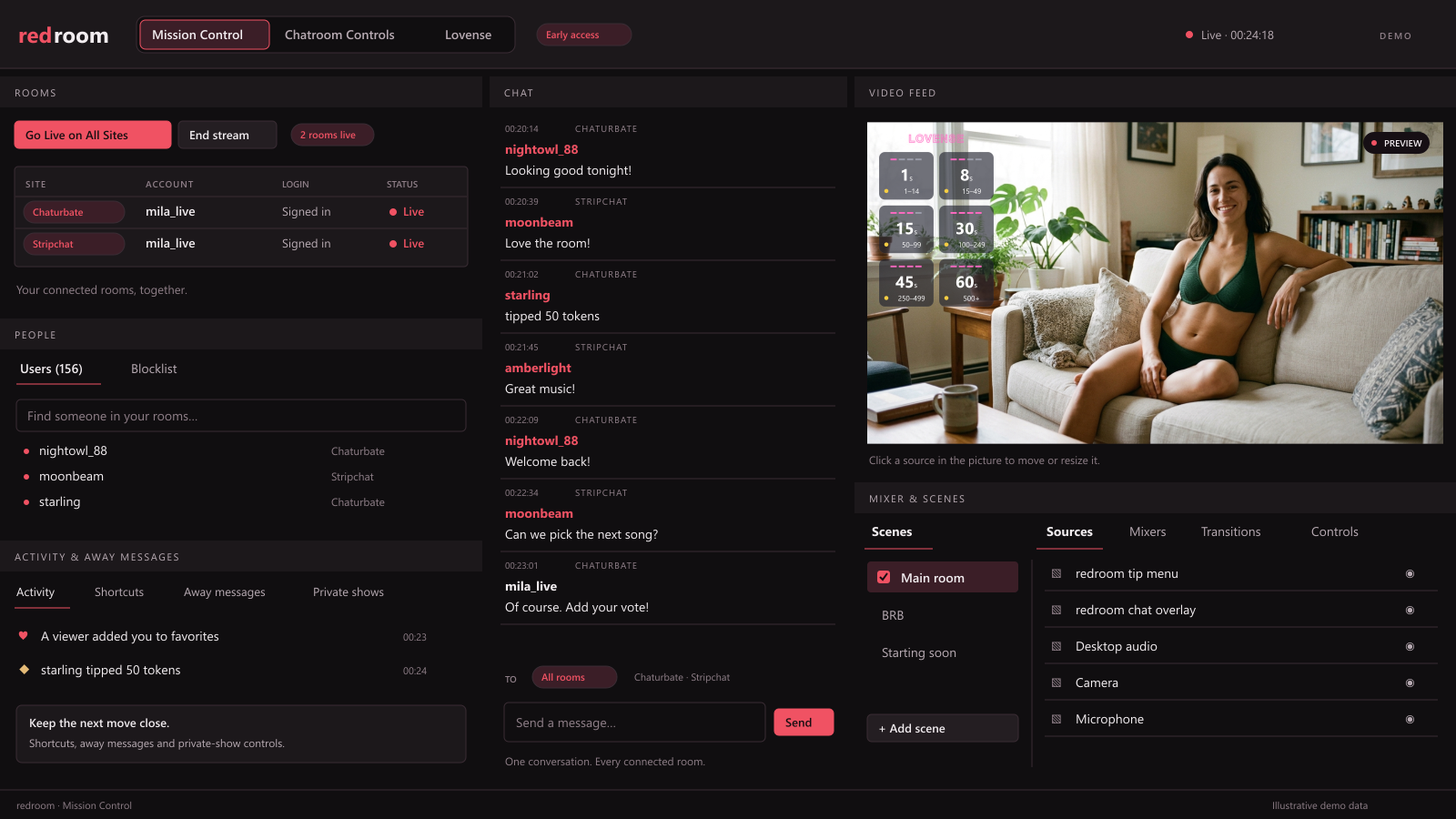
Built-in video+Merged chat+Shared goals+Games & tip menus+Lovense
01 / YOUR REACH
More places to be seen. One place to run the show.
Each room opens a door to a different audience. Growing your reach also means keeping up with more conversations, more tip activity and more controls.
redroom brings your connected rooms together so you can spend more of the show welcoming viewers, responding to requests and building the moments people want to be part of.
THE WORKSTATION IN ACTION
28 seconds · Silent demoYour show. Every room. One redroom.
02 / YOUR AUDIENCE
One workstation. A more connected show.
A new viewer says hello on one site. A tip lands on another. Your shared goal moves closer, a game gives chat something to join in, and Lovense plays a response.
redroom brings those moments into one workstation, where you can see what is happening and decide what comes next. Your conversations, audience activities and show controls work together around the same performance.
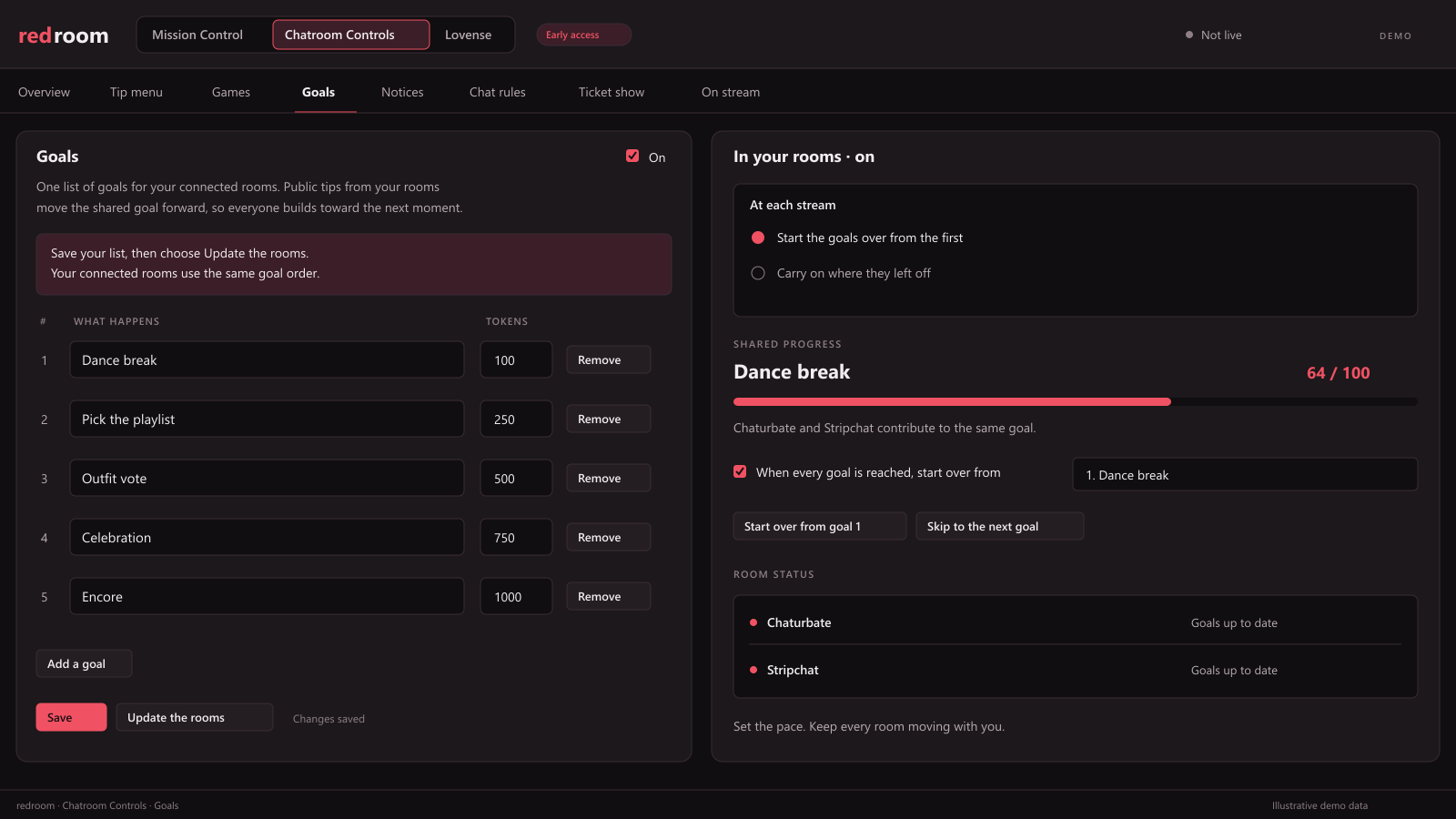
Give your rooms a shared reason to tip. Public tips from connected rooms move the same goal forward. Viewers can follow the progress and help bring the next moment closer, wherever they are watching.
Give viewers more ways to join in. Build your tip menu, run wheel and dice games, and schedule notices from the same workstation. Keep your offers visible and make it easy for viewers to find a way to participate.
Manage the details together. Set up goals, menus and games in one place, with site-specific adjustments where available. Keep the controls you use during a show close to the chat and tip activity that give them context.
03 / YOUR RESPONSES
Turn audience participation into part of the show.
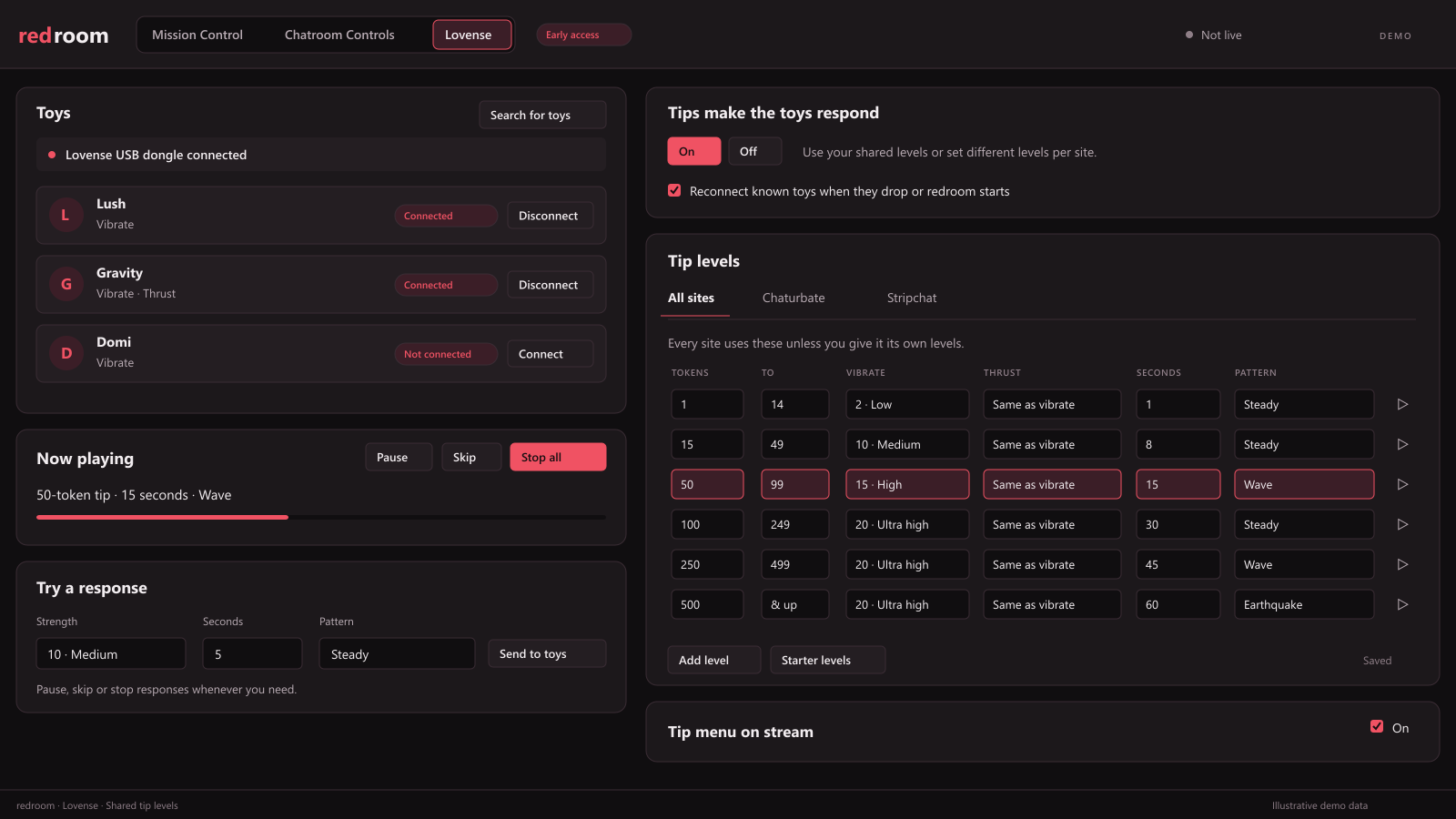
Bring Lovense into the same workflow as your chats, goals and games. Tips from connected sites can trigger your configured responses through a compatible Lovense USB dongle.
Set shared tip levels, patterns and response times, or give a site its own settings. Pause, skip or stop responses from the workstation you already use to run the show.
04 / YOUR EARNING OPPORTUNITIES
See what your rooms are bringing in.
More exposure is more useful when you can see how your audiences respond. Follow tips, room activity and show recaps from the same workstation.
Compare how your connected rooms contribute, review the momentum of a session and use that context to decide where to focus your attention, what to repeat and how to shape your next show.
Bring the work of streaming and the visibility into your earning opportunities together.
Your studio, built in.
redroom’s own video engine powers your show, with scenes, sources and a mixer that feel familiar to OBS users.
Arrange your camera and overlays, switch scenes and shape your sound beside your audience controls. Your video production and the business of running your rooms belong in the same workstation.
Away messages that keep your rooms informed.
Give waiting viewers a clear message when you step away or take a private. Customize your on-screen Away messages and the chat notices you choose to send, then return to the public show when you’re ready.
Keep that communication in the same workflow as the rest of your show, with your return controls within reach.
GETTING STARTED
From setup to showtime.
- 01
Connect your rooms. Sign in to your supported cam sites inside redroom.
- 02
Build your show. Set up your camera, scenes and audio, then add your goals, games, tip menus and Lovense responses.
- 03
Run it from one workstation. Bring your rooms live, follow your conversations and tip activity, and keep your show controls together.
- 04
Learn from each session. Review your room activity and show recaps to help plan the next one.
BEFORE YOU GO LIVE
Frequently asked questions
Who is redroom for?
Independent adult performers who want to expand their visibility and manage a show across multiple cam sites from one workstation.
Which sites can I connect?
Early access currently connects to Chaturbate and Stripchat. If you stream on Live Jasmine or another site, tell us when you join the waitlist so we can confirm the connections and features available for your setup.
What computer do I need?
redroom is being developed for Windows. Join the waitlist to hear when early access opens and get the setup requirements.
What role does OBS play?
redroom runs its own video engine. If you’ve used OBS, the scenes, sources and mixer will feel familiar. OBS remains available as a fallback option.
What do I need for Lovense controls?
A compatible Lovense toy and Lovense USB dongle connected to your PC. Compatibility details will be provided during early access.
Can I download it today?
We’re collecting early-access interest. Join the waitlist for an invitation when a place is available.
REDROOM EARLY ACCESS
Make more of every show.
Bring your rooms, your audience activities and your studio into one workstation built around the way you perform.
Join the redroom early-access waitlist. Tell us where you stream and what your setup needs, so we can help you bring the pieces together.
Windows · For adults 18+